

Already have an account? Open a player-site address you trust and choose Log in. Use the phone number or account name you registered with. If you are creating an account for the first time, choose Sign up.
Cannot sign in?
- Forgotten password: use the recovery option on the sign-in screen. Do not give your password or verification code to someone offering to recover the account for you.
- No verification message: check the phone number and wait for the on-screen timer before requesting another code.
- Page will not open: check the address in our access guide. If you see a certificate or regional-restriction notice, follow the notice rather than trying to sign in.
- Account locked: contact support through the player site instead of repeatedly guessing passwords.
Create an account
- Open Sign up and enter your own details.
- Choose a password you do not use on other websites.
- Complete the age, identity or phone verification requested on the form.
- Check your details before submitting. If the number is already registered, use recovery or ask support about the existing account.
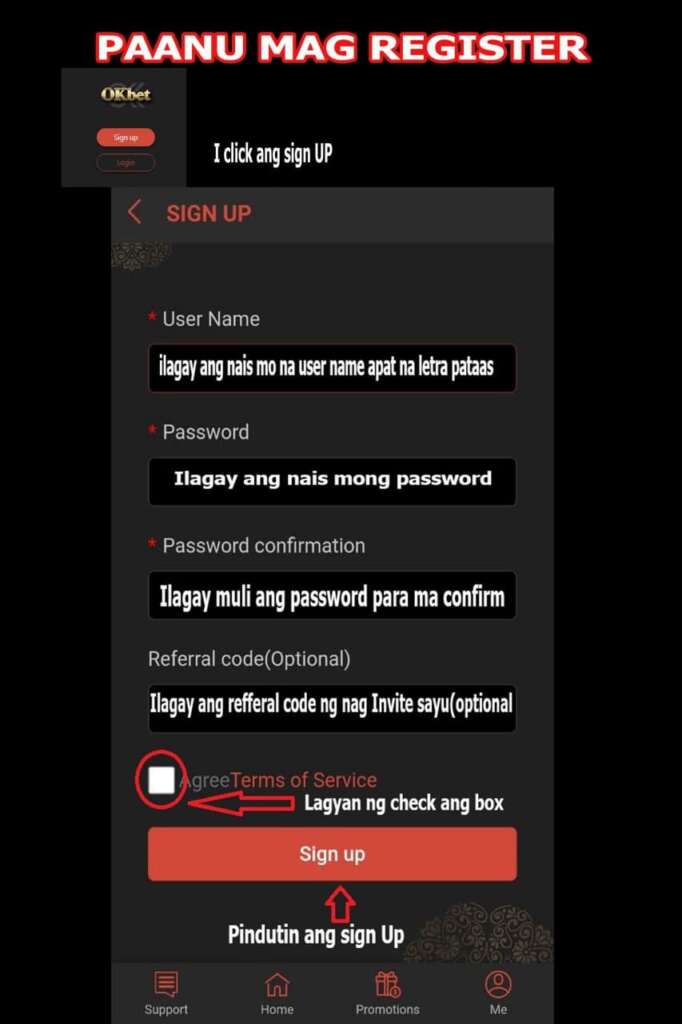
Button names and the order of the fields can differ on mobile. Follow the form shown on your screen.
After signing in
Check your account details before making a payment. Read the cash-in guide, cash-out guide or common questions for the next step.
One Response
GracyGraceyss